Interested in helping your child learn to code but not sure where to start? Any elementary school kids or teens curious about making video games or improving their Minecraft mods? Whether you’re a programmer or not, finding the right way to introduce coding to kids can be a challenge. In today’s article, we will share with you some of the best resources for teaching kids to code.
Find the best resources for teaching kids to code
We’ve checked out five options below and can confirm that they’re all great resources for young programmers. Some may be aimed at specific age groups, but all can support new coders learning a new language.
1. Start with an Online Coding Class
Often, the best place to start learning new skills is by taking a class designed specifically for children/teens. This is especially true for something as complex and multi-faceted as coding. It can be difficult for beginners to get started on their own due to differences in languages and coding environments. Without prior knowledge, this can be very scary. Learning to code through individualized instruction ensures that students receive a good foundation in the material and are not hindered by initial difficulties or misunderstandings.
Create & Learn offers many online coding classes for kids in programming and programming-related disciplines. These classes are designed for K-12 students, and cater to a variety of skills and interests. All classes are taught by skilled teachers, many of whom have technical industry experience. This allows for a unique perspective to connect what is learned in the classroom to the “real” world. Class sizes are kept small, a maximum of 3-5 students per group, to ensure a beneficial and inclusive learning environment for all.
The best way to experience this is to take the free intro coding class for kids offered by Create & Learn. Free intro classes are offered on some of the most popular courses. Taking a free class can help you and your child assess whether the language or material matches their current skills. It also introduces you and your child to the Create & Learn class format and our skilled instructors. Most students start with free Scratch coding classes (Primary and Middle School) or Python coding classes (Senior High School).
Best for ages: All ages
Start: Explore free classes in gaming coding, robotics, and more today. Classes are offered at varying times to fit your schedule.
2. Utilize Code.org
Popular in schools and after-school enrichment, Code.org offers a comprehensive curriculum for students to learn computer science concepts and programming. Additionally, every year during Computer Science Education Week, Kode.org publishes a series of Hour of Code activities, created for all ages to get an introduction to coding.
Its interactive interface has a ton of tools, lessons, and environments where students can learn concepts and play with code. The videos are very informative but created in a way to keep students engaged.
Once your students have a solid understanding of the basics of coding, they can move on to more advanced projects, such as creating games, animations, or websites. The interactive lessons and tutorials on Code.org can help them explore their creativity and develop their coding skills. The curriculum provides a way for students to continually develop and expand their knowledge.
Kode.org provides instant feedback and guidance to help students improve their coding skills. Whether it’s identifying errors in their code or receiving suggestions on how to make their projects more sophisticated, your high school student can receive support every step of the way. This will encourage them to continue learning and growing as coders.
Best for ages: All ages in Grades k-12
Start: Select an Hour of Code project here or view possible projects here
3. Complete learning with Khan Academy
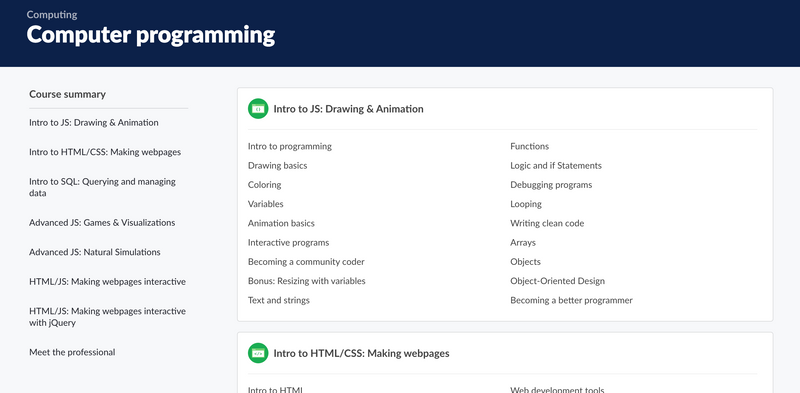
A ubiquitous and invaluable learning resource, Khan Academy helps middle and high school students build coding proficiency. The platform offers a variety of coding lessons in a variety of programming languages, including JavaScript, Python, and HTML/CSS. These lessons are designed to be engaging and accessible to students of all skill levels, from beginners to more advanced coders.
One of the advantages of Khan Academy is its interactive coding exercises. These exercises give students the opportunity to practice coding in the real world, which can help them better understand the concepts they are learning. Khan Academy’s interactive videos allow students to spin-off from what they see in a video to build on it. This allows students to understand more about what is happening while encouraging students’ creativity to create their own versions.
As students progress in learning, they can track their progress and see how they improve over time. Additionally, the platform provides a supportive community where students can ask questions and receive help from other users.
In addition to coding lessons, Khan Academy also offers computer science and technology lessons, which can give students a broader understanding of the field. This lesson can help students see the big picture and understand how coding fits into the broader world of computer science and technology. Additionally, Khan Academy provides resources for teachers, including lesson plans and assessments, making it a great resource for schools looking to incorporate coding into their curriculum. Khan Academy also offers a built-in AI tutor to help guide students throughout the process.
If you’re looking for a great free tutoring resource, Khan Academy is worth investigating. While Khan Academy cannot replace in-person teaching, it would be helpful to have a series of additional lessons for students on their coding journey.
Best for ages: 13+
Start: Check out Khan Academy’s programming curriculum here
4. Build an independent project in Scratch
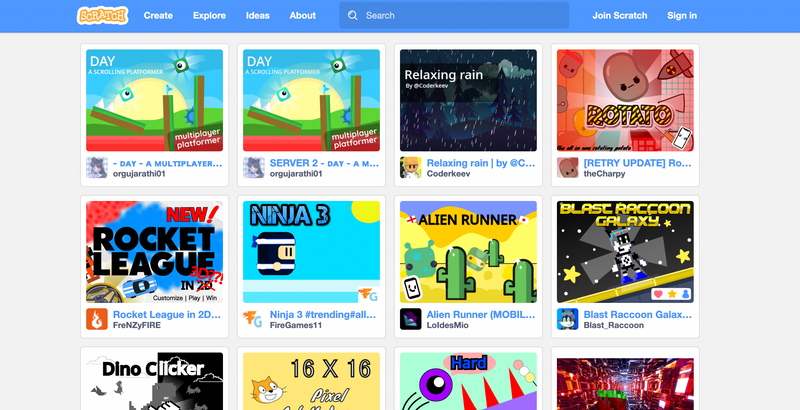
Scratch is a great platform for younger students to learn how to code and create their own projects. The visual programming language used by Scratch makes it easy for younger students to start coding, even if they have limited previous experience. Scratch was created to minimize syntax by formatting code into blocks that can be dragged and dropped and linked together. By lowering the barrier to entry for younger students, Scratch allows kids to truly explore their interests through code. Students can creatively choose what they want to make or even draw their own characters and backgrounds. Plus, it’s a great teaching tool for parents who may not have much experience with coding.
The basic workflow for building a project in Scratch is simple. To start a project in Scratch, students choose a background and create characters, known as “sprites,” to interact with the background. Once sprites are created, students can use Scratch’s drag-and-drop blocks to program their movements and actions. They can also add sound effects and music to their projects, which can make them more interesting for younger students. As they build the project, students can also experiment with different scripts and see how they affect the behavior of their sprites. This trial and error approach helps students learn coding concepts and the logic behind coding. Students can choose from pre-made Scratch sprites/backgrounds, draw their own within Scratch, or upload images from the web. Scratch promotes creativity and self-expression which is key to getting students invested in Computer Science.
Given its easy-to-use interface and kid-friendly tools, Scratch is very popular among elementary and middle school students. If your students aren’t quite ready to create full projects on their own, Create & Learn offers several Scratch coding classes to support Scratch learning and a free Scratch intro class.
Best for ages: 7-13
Start: Join Scratch to start building projects.
5. Complete the challenges in Codewars
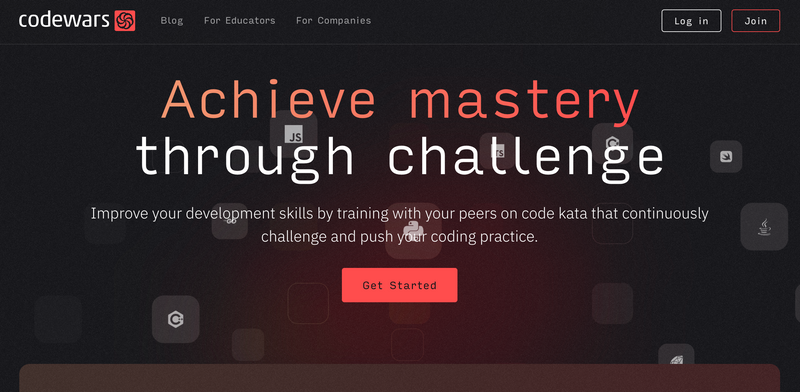
Codewars is an excellent platform for new coders to improve their skills and learn how to code. By signing up for an account, new coders can access a variety of coding challenges, known as “katas”, in a variety of programming languages. These words range in difficulty and provide a great way for new coders to practice their coding skills and learn new concepts.
One of the most valuable aspects of Codewars is the community of coders who use the platform. New coders can view other users’ solutions and discuss their own solutions with the community. This allows new coders to learn from experienced coders and receive feedback on their own solutions. Coding is rarely done alone, so it encourages teamwork and a sense of community. Leaderboards in Codewars also provide a way for new coders to track their progress and see where they stand among other coders on the platform. Because of Codewars’ collaborative features, we recommend it for older students.
In addition to the katas and community features, Codewars also provides a “training” section where new coders can get katas recommendations based on their skills and interests. The platform also provides a “Create a Word” feature, which allows new coders to create their own coding challenges and share them with the community. By taking advantage of all these features, new coders can improve their coding skills, learn new concepts, and engage with the coding community on Codewars. This is a great resource for coders who want to expand their skills and try something new.
Best for ages: High School (14+)
Start: Register here for a free account
Start with the best resources for teaching kids to code
And here they are – our five favorite resources for beginners. We hope you have found one or more options that you can use to support your child in their programming journey. It’s best to find something that interests your child!
As always, Create & Learn is also ready to help. We offer dozens of classes designed to support new and intermediate coders, and we want to be a part of your student’s coding education, too. Sign up for a free, award-winning coding class to get started!
Written by Sarah Rappaport, a graduate of Northwestern University with undergraduate and graduate degrees in engineering and music. He is currently working on a master’s in data at the Georgia Institute of Technology. He taught mathematics and computer science with Teach for America for two years, and now works as a Systems Engineer.
News
Berita
News Flash
Blog
Technology
Sports
Sport
Football
Tips
Finance
Berita Terkini
Berita Terbaru
Berita Kekinian
News
Berita Terkini
Olahraga
Pasang Internet Myrepublic
Jasa Import China
Jasa Import Door to Door
A gaming hub can refer to a central platform or space dedicated to gaming, where players can access games, interact with other gamers, and enjoy related content.
Comments are closed, but trackbacks and pingbacks are open.